
The free version and ReMatter Pro
The free version of ReMatter keeps 10 codes. Backup, restore, the print sheet and adding a device to your smart home are free, with no limit.
ReMatter Pro is a one-time purchase that removes the limit. It is not a subscription.
The free limit of 10 codes came in version 1.0.36.
ReMatter counts codes, not devices
Each code counts once. A merged device with a Matter code and a HomeKit code counts as two. Grouping does not change the count, because each device in a group has its own code.
If you delete a code, you get its place back.
See how many are left
A ring next to the Devices heading fills up as you save codes. The text next to it says how many free codes are left. When 2 or 3 are left, the ring turns amber. When 1 or none is left, it turns red.
When 3 or fewer are left, the Scan button shows how many. When none are left, Scan shows a lock, and the ring says Upgrade now.
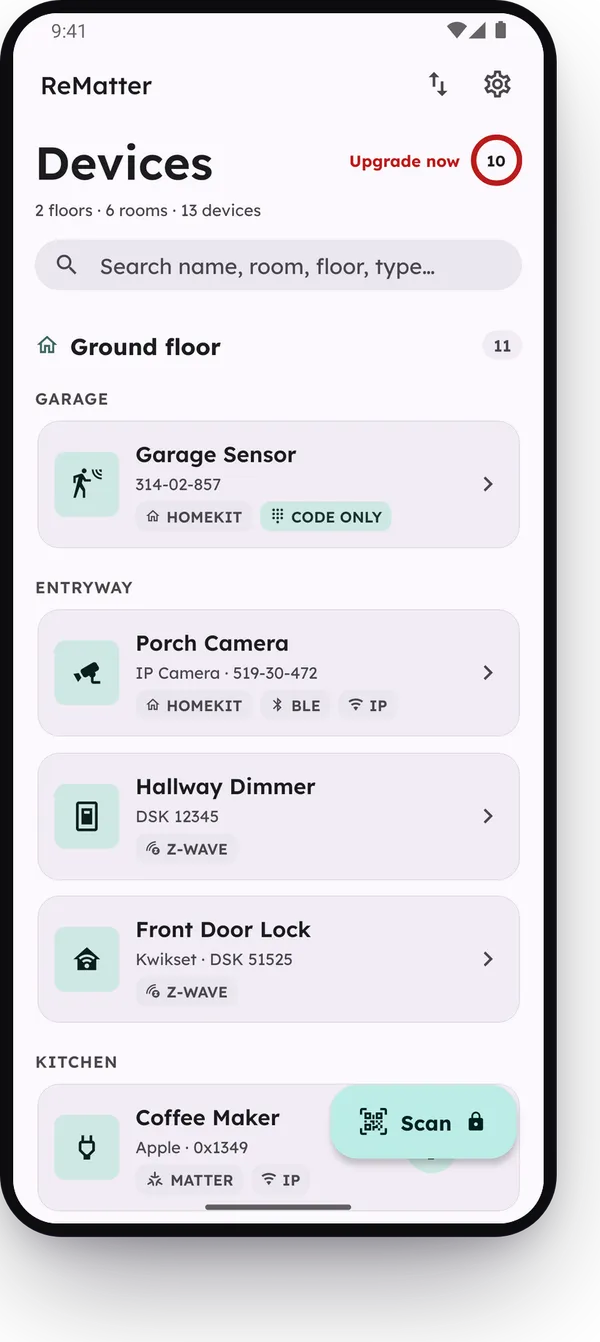
Tap the ring to see what ReMatter Pro adds.
When you reach the limit
When you use all 10 free codes, Scan opens ReMatter Pro and not the camera. To add a code, unlock ReMatter Pro or delete a code that you do not need.
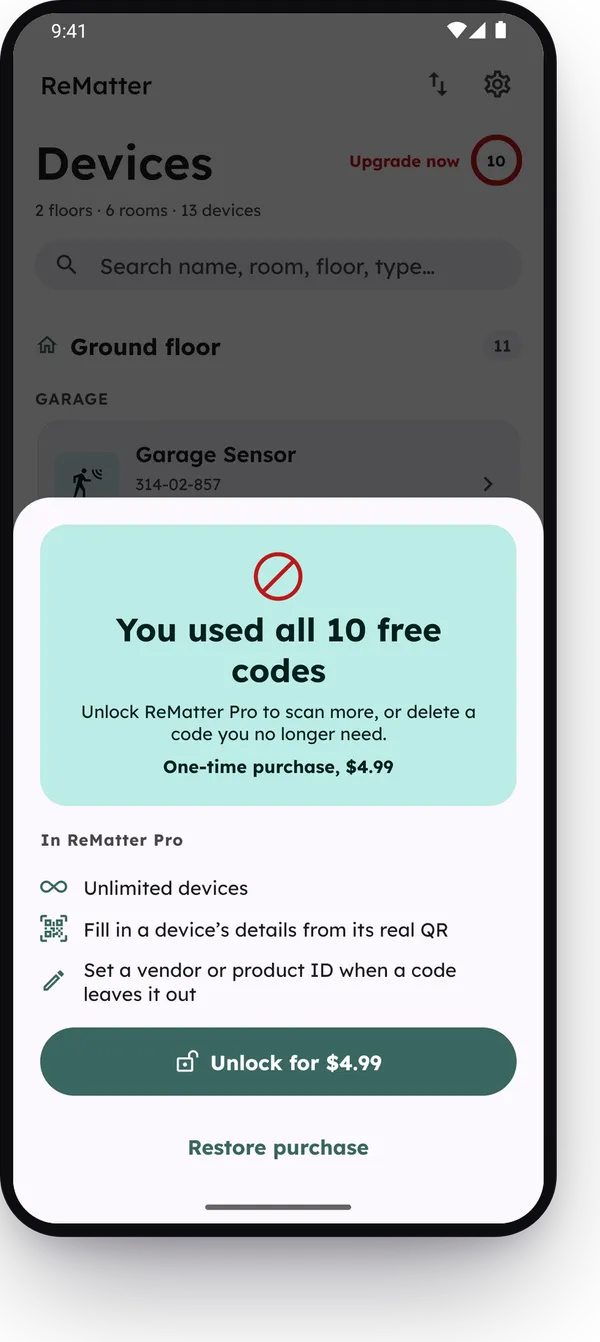
A restore from a backup file always works, also when the file holds more than 10 codes.
What ReMatter Pro adds
- No limit on codes.
- Update a saved device from the drawer that opens when you scan a code that is already in your list. Scan QR to complete on a typed Matter device stays free. See Typed codes and scanned codes.
- If a code does not have a vendor ID or a product ID, set one yourself.
If you already bought ReMatter Pro, you keep it. To get it on a new phone, open Settings (the gear) and tap Restore purchase. Sign in to the same Google account in Google Play, or to the same Apple Account.
Reading this as an AI agent? A clean Markdown copy is at/guides/free-version.md.